Confused by camelCase, snake_case, and PascalCase? Learn why developers use different naming conventions and how to switch between them easily.
You’re working on a project and everything looks fine — until the same piece of data suddenly seems to have different names.
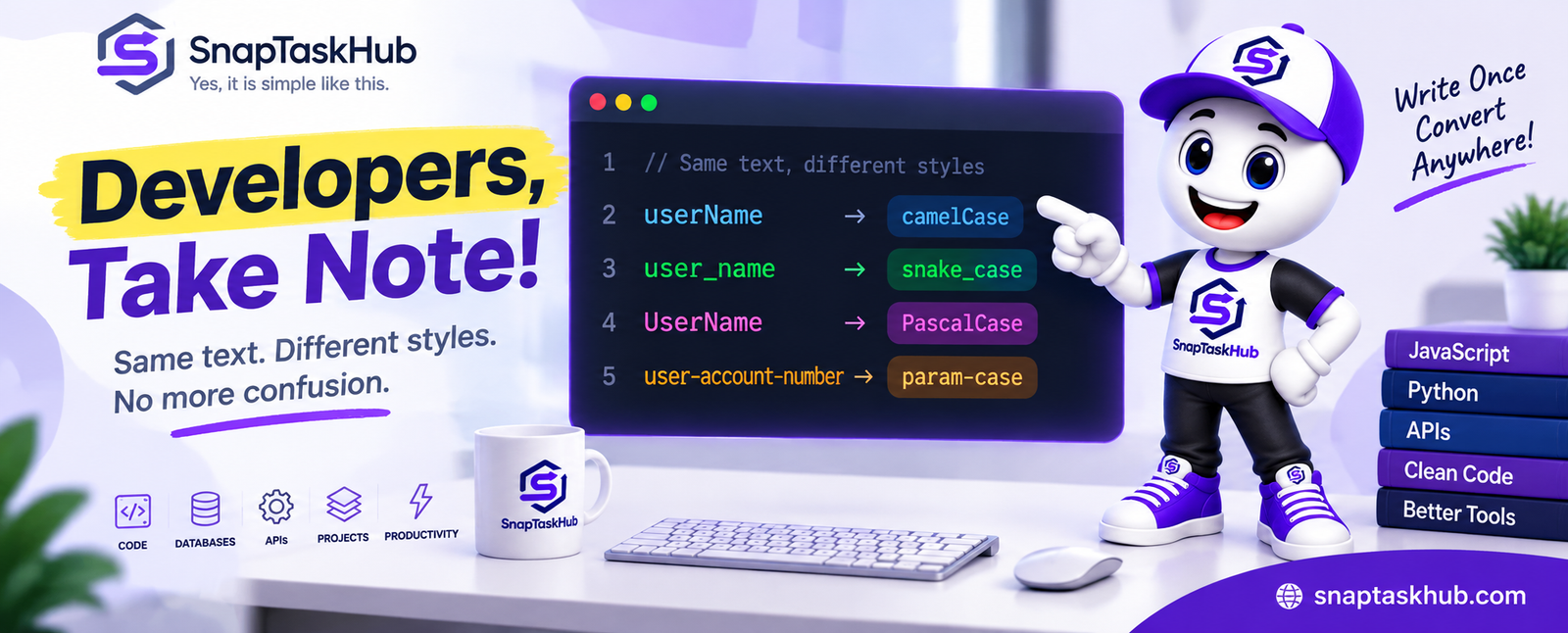
Your frontend uses userName. The API sends user_name. Somewhere else, you come across UserName.
Are these different variables? Is something wrong with the code? Or are they simply different ways of writing the same name?
The answer is usually much simpler: you’ve run into different naming conventions — such as camelCase, snake_case, and PascalCase. They may look like small formatting differences, but when data moves between programming languages, APIs, databases, and different parts of a project, those differences can quickly become a source of confusion.
In this article, we’ll see why these naming styles exist, where they commonly appear, and how to switch between them quickly when your project requires a different format.
Same Data, Different Name — What’s Going On?
At first glance, userName, user_name, and UserName may look like three different identifiers. But in many projects, they can represent exactly the same concept — a user’s name — written according to different naming conventions.
The difference is in how the words are separated and capitalized:
userName uses capitalization to separate the words. user_name uses an underscore. UserName capitalizes the beginning of each word.
These styles are not random. Different programming languages, frameworks, databases, APIs, and development teams often follow different naming conventions.
That’s why the same concept can change its appearance as it moves from one part of a project to another.
Meet the Naming Styles Behind the Confusion
Let’s give these styles their proper names:
camelCase → customerAccountNumber
snake_case → customer_account_number
PascalCase → CustomerAccountNumber
kebab-case (param-case in our converter) → customer-account-number
Notice that the words themselves haven’t changed. Only the format used to join them together has changed.
And this is where an apparently tiny formatting difference can become important: code usually expects names to follow an exact structure. customerAccountNumber and customer_account_number may mean the same thing to a human reader, but software does not automatically treat them as the same identifier.
Why Do Developers Use Different Naming Conventions?
If all these styles can describe the same thing, why not simply use one naming convention everywhere?
Because software projects rarely live in a single environment. A modern application may combine a frontend, backend, database, APIs, external services, and code written in different programming languages. Each of these may follow its own naming conventions.
For example, JavaScript and TypeScript commonly use camelCase for variables and functions, while Python commonly uses snake_case. Class and type names are often written in PascalCase, and hyphenated styles such as kebab-case frequently appear in URLs, CSS classes, configuration files, and other contexts.
None of these styles is automatically “better” than the others. The important thing is to follow the convention expected in the environment you’re working with — and to stay consistent.
Where the Real Problem Starts
Knowing the names of these styles is easy. The trouble begins when data crosses boundaries.
Imagine your frontend expects:
customerAccountNumber
but an API returns:
customer_account_number
To you, both clearly describe the same thing. To your code, however, they are two different identifiers.
Now imagine this happening across dozens of fields:
first_name → firstName shipping_address → shippingAddress order_total → orderTotal
Suddenly, what looked like a tiny formatting difference becomes repetitive work — and a possible source of mistakes.
This is especially noticeable when developers move data between APIs, databases, frontend applications, backend services, or codebases that follow different naming conventions.
Should You Rename Everything Manually?
For one or two identifiers, changing the naming style manually is easy.
customer_account_number becomes customerAccountNumber, and you move on.
But what happens when you have a longer list of variable names, database fields, API properties, or configuration values?
Manual conversion quickly becomes repetitive. It is also surprisingly easy to miss a word boundary, capitalize the wrong letter, leave an underscore behind, or produce inconsistent results across a long list.
The problem becomes even more noticeable when you regularly switch between naming conventions while moving text or identifiers from one environment to another.
So while manual editing works for occasional changes, repetitive case conversion is exactly the kind of small task that is better automated.
A Faster Way to Switch Between Naming Styles
Instead of rewriting each name manually, a case converter can transform the same text into different naming styles in seconds.
For example, start with:
customer account number
Using the Case Converter, the same phrase can become:
camelCase → customerAccountNumber
snake_case → customer_account_number
PascalCase → CustomerAccountNumber
param-case → customer-account-number
This is particularly useful when you already know which naming convention your project requires and simply need to convert existing text into the correct format.
The Case Converter also supports other formats, so you can choose the naming style that matches the environment you are working in rather than repeatedly editing capitalization and separators by hand.
Which Naming Style Should You Use?
There is no single naming style that works best everywhere.
The right choice usually depends on the programming language, framework, project conventions, or system you are working with. If a project already follows a specific style, consistency is generally more useful than introducing a different convention simply because you prefer it.
You may encounter:
- camelCase in many JavaScript and TypeScript variables and functions.
- snake_case in Python code, database fields, and many APIs.
- PascalCase for classes, types, and similar structures in many languages.
- kebab-case in places such as URLs, CSS classes, and configuration-related contexts.
When working across different systems, you may not even have the freedom to choose. An external API might return snake_case while your frontend project uses camelCase. In that situation, the goal is not to decide which style is “better” — it is to handle the difference correctly and consistently.
Quick Reference Before You Go
Here is the same phrase written in several common naming styles:
camelCase → customerAccountNumber
snake_case → customer_account_number
PascalCase → CustomerAccountNumber
param-case → customer-account-number
The underlying words remain the same. What changes is the capitalization and the separator — or the absence of one.
One Name, Many Styles — No More Confusion
The next time you see userName, user_name, or UserName in different parts of a project, you’ll know that the difference may be much simpler than it first appears.
Naming conventions help code stay organized and consistent within different environments, but they can create friction when data moves between those environments.
Understanding the convention you are dealing with is the first step. And when you simply need to change the format, you don’t have to spend time rewriting every identifier manually — a case converter can take care of that repetitive part while you focus on the code itself.