Learn how to format, beautify and validate JSON online, identify common JSON syntax errors, and turn messy JSON into clean, readable code.
JSON is everywhere. From APIs and web applications to configuration files and data exchange, developers work with JSON every day. But even a small syntax mistake—such as a missing comma or an extra bracket—can make JSON difficult to read or completely invalid.
A JSON Formatter and Validator helps turn compact or messy JSON into clean, readable code while checking whether the structure follows valid JSON syntax.
In this guide, you'll learn how JSON formatting and validation work, how to identify common JSON errors, and how to format and validate JSON online quickly.
What Is a JSON Formatter and Validator?
A JSON Formatter organizes JSON data using proper indentation, spacing, and line breaks. This makes complex or minified JSON much easier to read and understand.
A JSON Validator, on the other hand, checks whether your JSON follows the correct syntax and helps identify structural errors that could prevent an application or API from processing the data.
You may also see the term JSON Beautifier. In most cases, beautifying JSON means formatting it into a cleaner, more readable structure.
Using formatting and validation together makes it easier to inspect, debug, and work with JSON data.
Why Should You Format and Validate JSON?
JSON can become difficult to inspect when it is compressed into a single line or contains deeply nested objects and arrays.
Formatting makes the structure easier to follow, while validation helps detect syntax problems before the data is used elsewhere.
This is particularly useful when:
- Debugging API responses
- Working with configuration files
- Reviewing JSON from third-party services
- Checking data before sending an API request
- Reading nested objects and arrays
- Troubleshooting malformed JSON
Instead of manually checking every character, an online JSON Formatter and Validator can make the process much faster.
Common JSON Errors and How to Fix Them
JSON syntax is relatively simple, but it is also strict. A single misplaced character can invalidate an otherwise correct document.
Here are some of the most common problems.
Missing or Extra Commas
Commas must separate properties within an object and items within an array.
Incorrect:
Correct:
If your JSON fails validation, checking the commas is a good place to start.
Using Single Quotes Instead of Double Quotes
Valid JSON requires strings and property names to use double quotes.
Incorrect:
Correct:
This can be confusing for developers who regularly work with programming languages where single-quoted strings are allowed.
Missing Quotes Around Property Names
JSON property names must be enclosed in double quotes.
Incorrect:
Correct:
A JavaScript object may allow syntax that looks similar to the incorrect example, but valid JSON follows stricter rules.
Mismatched Brackets or Braces
JSON uses:
- { } for objects
- [ ] for arrays
Every opening brace or bracket must have a matching closing one.
With large or deeply nested JSON documents, finding a missing bracket manually can be difficult. Formatting the data first makes the hierarchy much easier to inspect.
Trailing Commas
Standard JSON does not allow a comma after the final property of an object or the final item of an array.
Incorrect:
Correct:
Removing the trailing comma resolves this common validation error.
How to Format and Validate JSON Online
You don't need to install special software just to inspect a JSON snippet.
With an online JSON formatter, the basic process is simple:
- Copy the JSON you want to check.
- Paste it into the JSON input field.
- Submit the JSON for processing.
- Review the formatted result and validation status.
- If the JSON is invalid, correct the syntax problem and check it again.
This can be particularly convenient when you need to inspect JSON quickly without opening a development environment or installing an extension.
JSON Formatter vs JSON Beautifier vs JSON Validator
Although these terms are often used together, they describe slightly different functions.
A JSON Formatter restructures JSON with indentation and line breaks to improve readability.
A JSON Beautifier generally performs the same or a very similar task: turning compact JSON into a clean, human-readable layout.
A JSON Validator focuses on syntax. It determines whether the JSON structure is valid and helps expose problems that need attention.
For everyday development work, combining formatting and validation is useful because readable JSON is easier to troubleshoot.
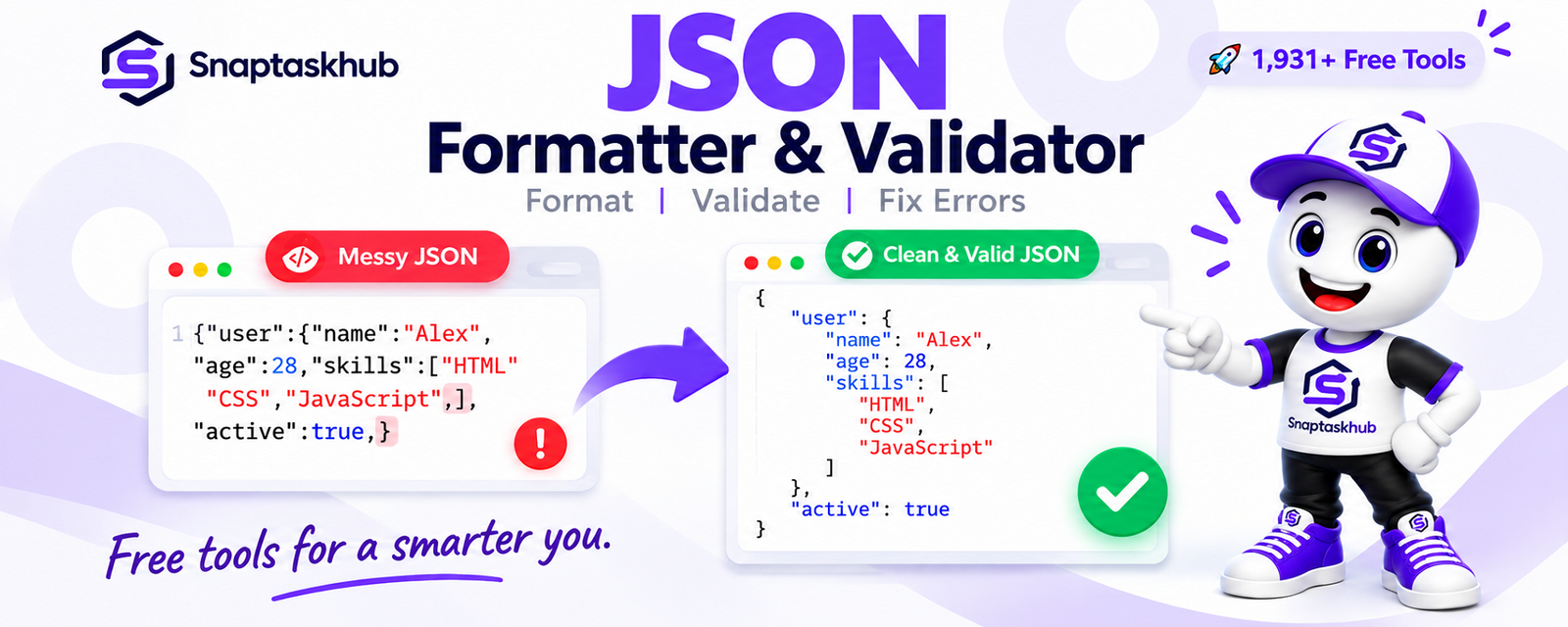
Example: Turning Messy JSON Into Clean, Readable JSON
Imagine receiving this compact JSON from an API:
Messy JSON:
The data may be valid, but it is not particularly convenient to read.
After formatting:
Nothing about the underlying data has changed. The formatted version simply makes the hierarchy much clearer.
That difference becomes increasingly important when working with large API responses or deeply nested JSON.
Format and Validate JSON Free with SnapTaskHub
Need to clean up or check your JSON?
Use the SnapTaskHub JSON Formatter & Validator to format, beautify, and validate JSON online without installing additional software.
Paste your JSON, submit it, and get a cleaner structure that's easier to inspect and troubleshoot.
Format and validate your JSON with SnapTaskHub →
Frequently Asked Questions
Is there a free JSON formatter online?
Yes. Online JSON formatting tools can turn compact JSON into a structured, readable format directly in your browser. SnapTaskHub provides a free JSON Formatter & Validator for this purpose.
What is the difference between a JSON formatter and validator?
A JSON formatter improves the visual structure of JSON using indentation and line breaks. A validator checks whether the JSON follows valid syntax. A tool can provide both functions.
How do I know if my JSON is valid?
You can check it with a JSON validator. The validator analyzes the structure and determines whether it follows JSON syntax rules. Common problems include missing commas, incorrect quotation marks, trailing commas, and unmatched brackets.
Can a JSON formatter fix JSON errors?
Formatting and validation are different tasks. A formatter primarily improves readability, while validation identifies whether the JSON syntax is valid. If an error is detected, you may still need to correct the malformed JSON.
Is JSON formatting the same as JSON beautifying?
The terms are commonly used for very similar purposes. Both generally refer to converting compact or difficult-to-read JSON into a structured layout with indentation and line breaks.